Turn a learning goal, note, or chosen page into a short course you can review and adjust.

education · By Goalmatic creator
Version 0.4.0 · Updated Oct 26, 2026
Bloom
Learn anything in small, useful steps
Free to installUses shared credits only for metered actions
No ratings yet1 installs2 viewsRead reviews A Goalmatic account is required so you can choose a workspace and review Bloom's access before installing. Create an account
Installing approves the access listed on this page for the workspace you are in. Installation does not spend credits.
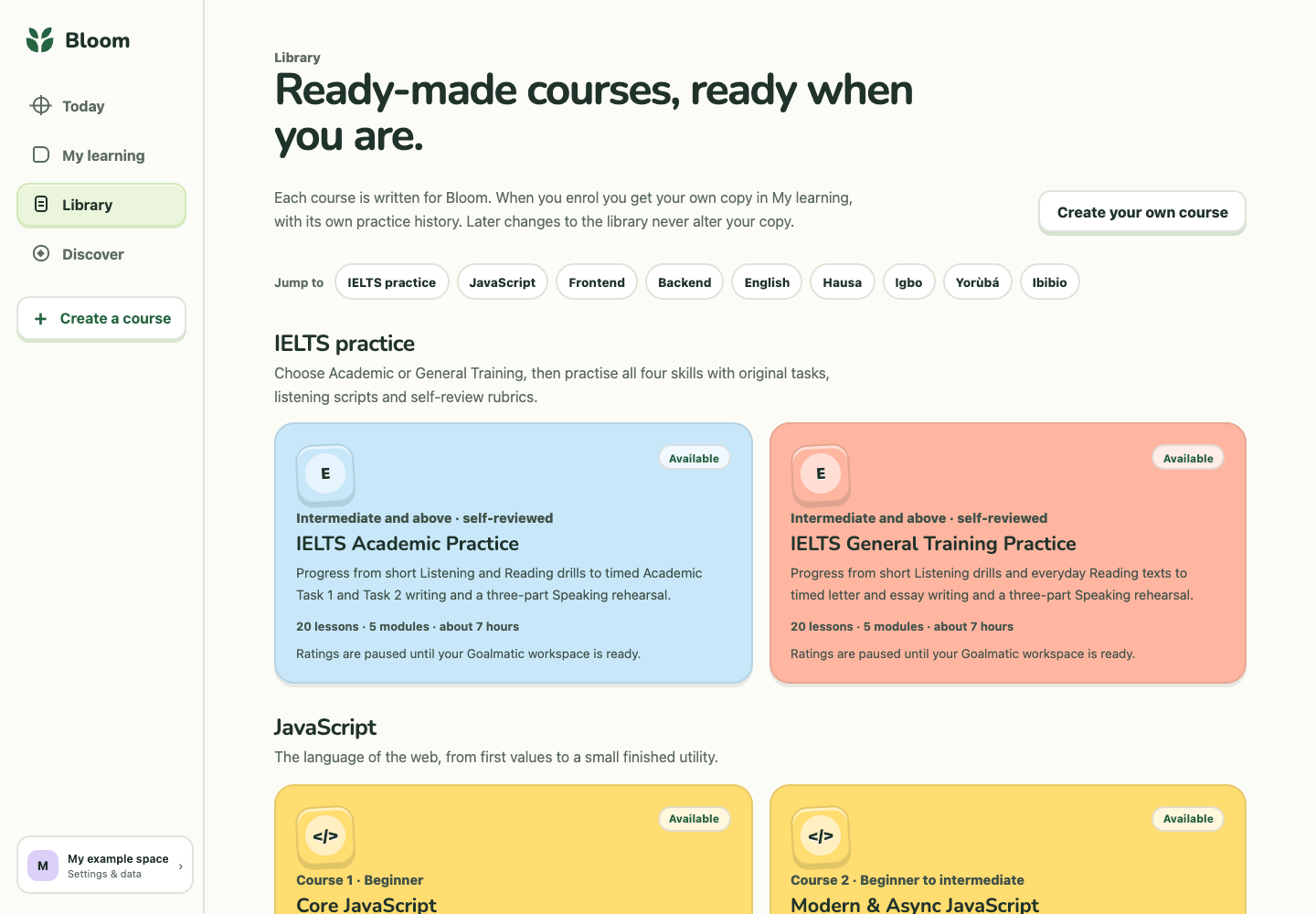
Product tour
See what you can do
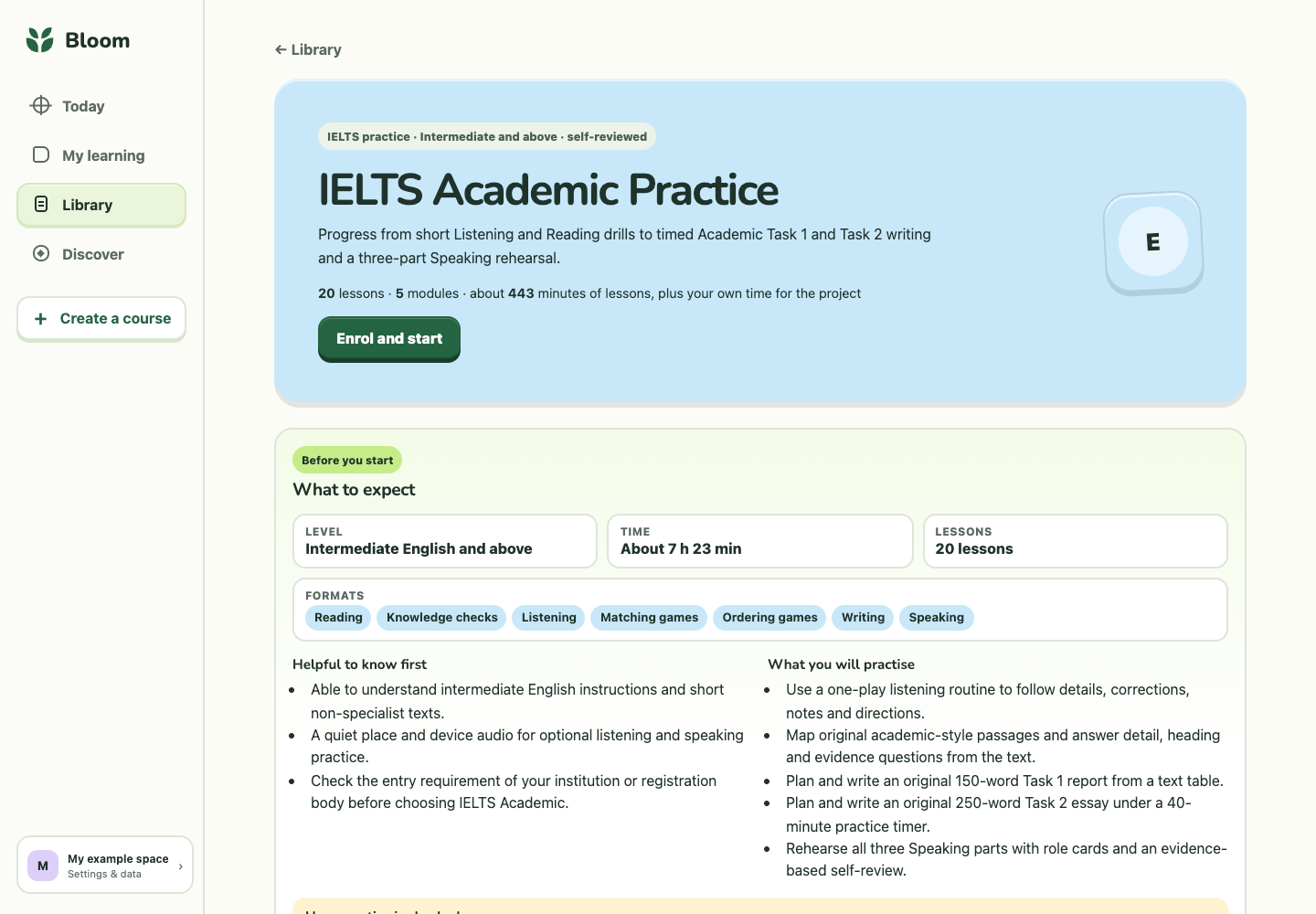
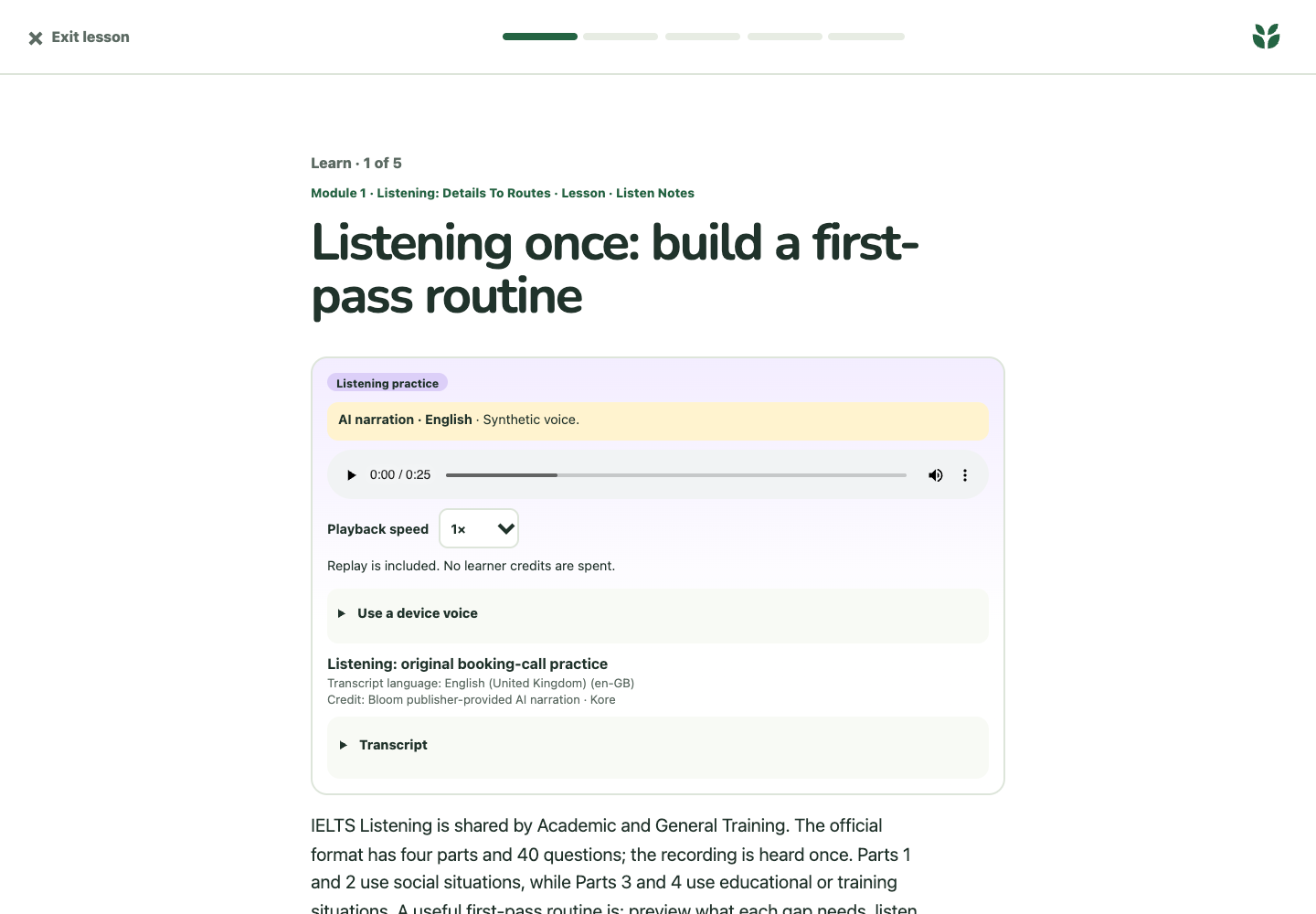
Screenshots provided for this App.
Why this App
What it helps you achieve
Use questions, matching, ordering, timed writing, speaking rehearsal, and self-review to make progress visible.
Choose from 14 courses and 322 lessons, including technical foundations, English, and original IELTS Academic and General Training practice.
Use Bloom's AI tutor for questions, bounded research, and reviewable course drafts. AI requests use shared Goalmatic credits.
Private courses, notes, attempts, and interests stay scoped to your active Goalmatic workspace.
About
Built for a focused job
Choose from 14 courses and 322 lessons, or make a course from your goals and notes. Practise with questions, games, listening, writing and speaking, then return to your next lesson. Optional AI help uses shared Goalmatic credits.
How it works
- 1Choose a starting point
Pick a Library course or bring a goal, note, or chosen web page into a new course draft.
- 2Work through short lessons
Read, answer, write, speak, and use small interactive activities at your own pace.
- 3Review what you learned
Return to lessons, inspect your attempts, and use tutor feedback or course review suggestions.
- 4Share only what you choose
Optionally rate Library courses or use a private two-person check-in with someone you explicitly invite.
Goalmatic credits
The App is free to install. If a specific AI, research, publishing, or provider action uses shared credits, Goalmatic shows the applicable cost when the platform exposes it.
- Credits belong to your selected workspace.
- Installation and ordinary browsing do not spend credits.
- Top-ups stay in central Goalmatic billing.
Access stays explicit
The App receives only the access declared by this Store release and approved for the workspace you choose.
8Required
5Optional
5Resources
No connected-account provider is required by this release.
- A Goalmatic account and an active workspace are required.
- AI tutor, research, and course-drafting requests use shared Goalmatic credits.
- IELTS courses are original self-reviewed practice, not official mock tests, band predictions, or certification.
- Hausa, Igbo, Ibibio, and Yorùbá courses are foundation-level paths; advanced fluency is not promised.
- Pair check-ins require an explicit invitation and are limited to two people.
Permissions13 declared
Installation resources5 total
4 TablesBloom Courses, Bloom Notes, Bloom Interests, Bloom Attempts
1 agentsBloom Tutor
0 workflowsNone
Community
Ratings and reviews
Views since Oct 26, 2026
2deduplicated views
1successful installs
0written reviews
Sign in and install this App in a workspace to leave a rating.
Sign in to rateWhat people say
Loading reviews…
Trust and lifecycle
Know what happens before and after installation
Data stays scoped to the workspace you choose.
New permissions require another approval.
Uninstall stops sessions and workflows first.
App-created Tables are preserved by default.